A better online booking page for driving schools does one thing well: it turns local interest into scheduled lessons. When a student or parent lands on the page, they should not have to guess what you offer, where you teach, how to start or whether someone will call them back.
For many driving schools, the problem is not only traffic. The bigger problem is the gap between a visitor needing lessons soon and your website making the next step simple. A strong booking page closes that gap with clear choices, a short form, visible trust signals and fast follow-up.
This guide focuses on the practical parts that affect bookings, not design trends. If your page looks decent but is not generating enough calls or lesson requests, these changes are where to start.
Build the online booking page for driving schools around one job
The job of the page is not to explain every detail about your school. It is to help a serious visitor choose the right lesson option and take action before they leave.
That means the page should have one main call to action. For most driving schools, that action is either Book a Lesson, Request a Booking Call or Check Availability. The exact wording depends on how your office handles scheduling, but the page should not make visitors choose between five unrelated actions.
A phone number still matters, especially for parents and adult learners who have questions before booking. Keep the phone number visible on mobile, but do not let it replace the booking path. Some visitors want to call. Others want to submit a request in 60 seconds and move on.
The best booking pages do both without clutter. They give visitors confidence, collect the right information and make the next step feel low-friction.
Why driving schools lose lesson bookings online
Most booking problems are simple. They usually come from unclear pages, not from a lack of effort.
Common issues include:
- The page only has a generic contact form instead of a lesson booking form.
- Visitors cannot tell which neighborhoods or cities you serve.
- Lesson types are unclear, so beginners, teens, adults and road test customers all see the same vague offer.
- The phone number is hard to tap on mobile.
- The form asks for too much information before trust is built.
- The page looks fine on desktop but feels cramped or slow on a phone.
None of these problems require fancy marketing. They require cleaner page structure, better local information and a process that matches how real people book driving lessons.
If your office is already busy answering calls, your website should reduce confusion, not create more of it. A good booking page sends cleaner leads because visitors understand what they are requesting before they submit the form.
Start with the visitor’s decision
Separate teens, parents, adult learners and road test customers
Driving school visitors do not all need the same thing. A parent looking for teen lessons has different concerns than an adult who failed a road test or someone who needs a refresher before driving in the city.
Your booking page should make these paths obvious. You do not need a complicated menu. A simple section with lesson options can help visitors self-select before they reach the form.
For example, your page might include teen driving lessons, adult beginner lessons, refresher lessons and road test preparation. Only list services you actually offer. If certain options are limited by schedule, location or instructor availability, say that clearly.
Make the next step obvious
Every section should support the same next step. If the visitor is ready, they should know exactly what to do.
Use one primary button label throughout the page. Repeating the same call to action near the top, middle and bottom is better than switching between Contact Us, Learn More, Submit, Get Started and Schedule Now.
Consistency matters because people skim. If a parent reads your trust section, checks your service area and reaches the form, the button should still match the promise made at the top of the page.
People hesitate when they are unsure. Before asking for their information, answer the questions that usually block a booking.
Can the student book without a permit? Do you offer pickup and drop-off? What areas do you serve? Are weekend lessons available? How soon will someone respond? Are lessons one-on-one? If you offer instruction in specific languages or have specific instructor options, mention that only if it is accurate and consistently available.
The goal is not to overload the page. The goal is to remove the doubts that stop a visitor from taking the next step.
A booking page structure that works for lesson requests
A strong booking page follows the order a visitor’s mind is already moving in. First they want to know they are in the right place. Then they want to know if you can help. Then they look for proof, details and the next step.
| Page section |
What it should do |
What to include |
| Above the fold |
Confirm the service, location and action |
Clear headline, service area, call button and booking button |
| Quick trust row |
Reduce doubt fast |
Review count, licensing details, years in business or other accurate proof |
| Lesson options |
Help visitors choose the right path |
Teen lessons, adult lessons, refresher lessons or road test prep |
| Booking form or calendar |
Capture the lead while interest is high |
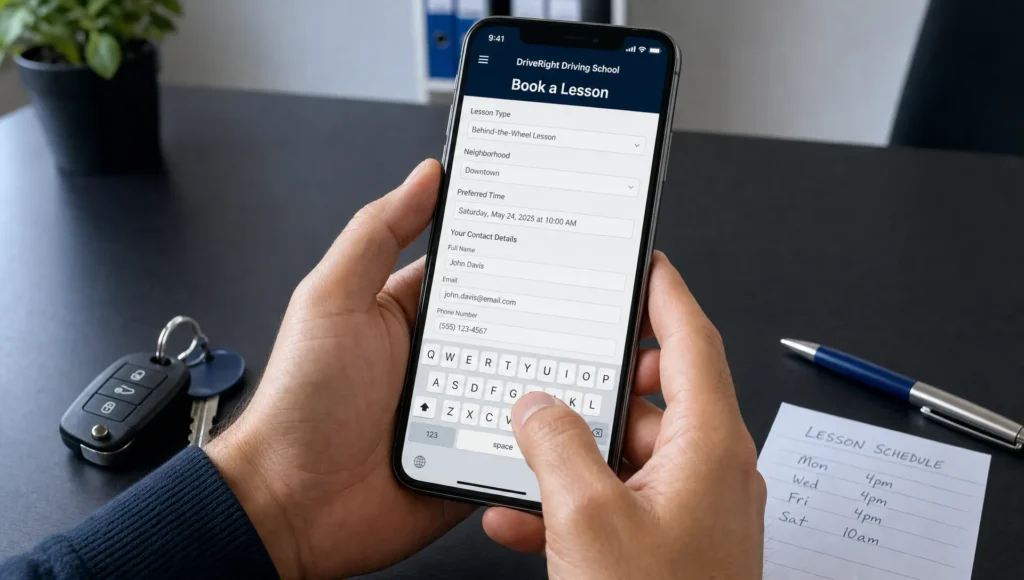
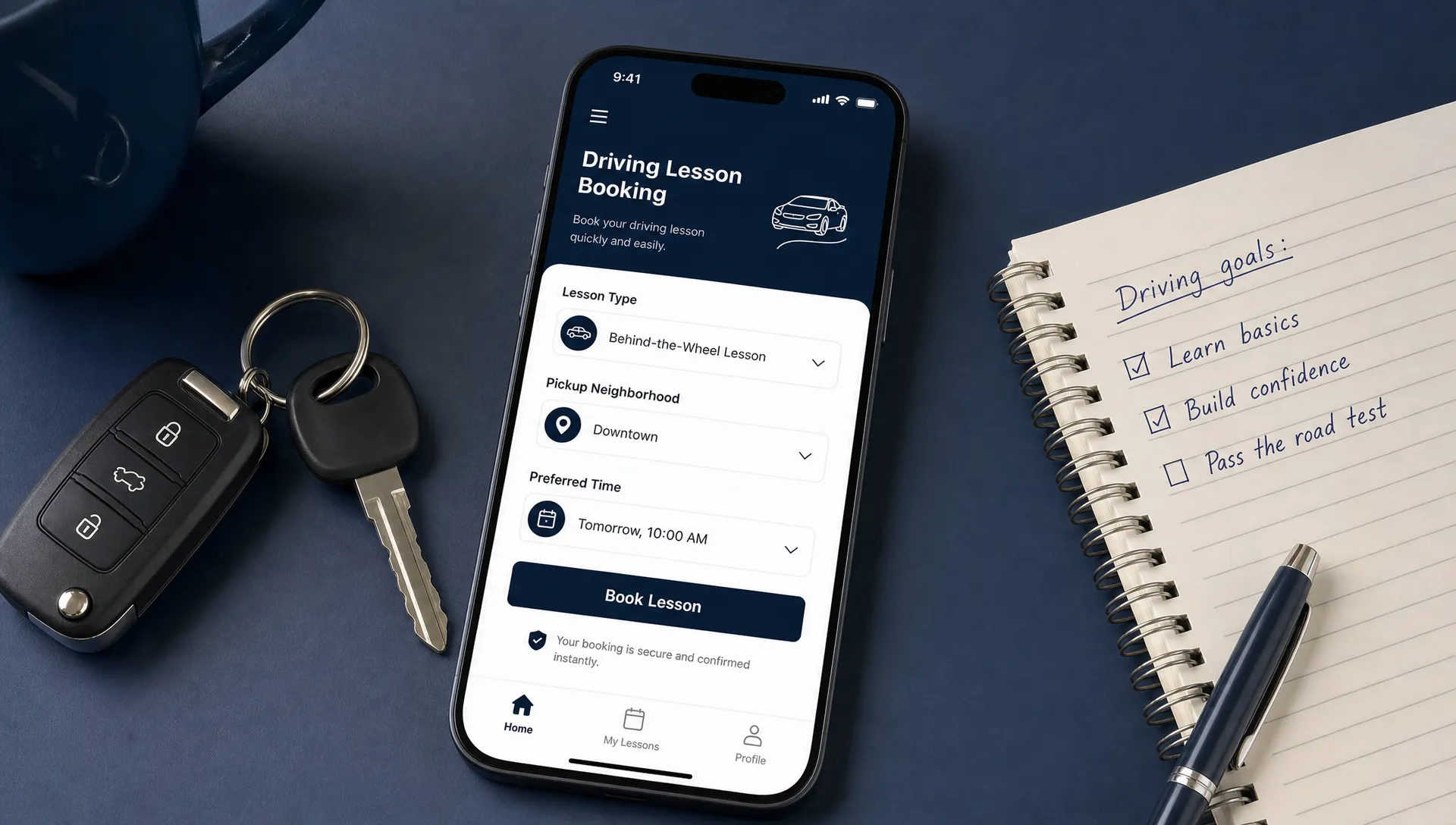
Lesson type, pickup area, preferred time and contact details |
| FAQs |
Remove final objections |
Permit rules, lesson length, service area, cancellation policy and response time |
| Final CTA |
Catch ready visitors |
A short reminder and the same booking button |
This structure works because it does not force people to hunt. A visitor should be able to scan the page and understand what you offer within a few seconds.
Above the fold must answer three questions
The top of the page should answer: what do you offer, where do you offer it and what should the visitor do next?
A weak headline says something like Professional Driving Instruction. A stronger headline is more direct: Book driving lessons in [City] with flexible weekday and weekend options. Use your real location and real availability, not a generic promise.
Add a short line underneath that explains who the lessons are for. Then place two clear actions: a booking button and a tap-to-call phone number.
Packages need enough detail to prevent hesitation
You do not always have to publish full pricing, but hiding every detail can hurt conversions. Visitors want to know whether your lessons match their situation before they reach out.
For each lesson option, include who it is for, the lesson length if standard, what is included and what happens after they request a booking. If pricing changes based on location, package size or road test needs, say that instead of leaving the page vague.
A visitor should not have to call just to learn whether you teach adult beginners or serve their neighborhood.
Trust signals should be specific
Generic trust language does not help much. Phrases like trusted instructors or best driving school are easy to ignore because every competitor can say the same thing.
Use proof that a visitor can understand quickly. This might include verified Google reviews, licensing information, instructor credentials, years in business, photos of training vehicles or clear service area details. Do not publish pass-rate claims unless you can back them up.
Trust signals are especially important for parents. They are not only buying lessons. They are deciding whether to put their child in a car with your instructor.
A booking form should collect enough information to take the next step, not every detail your office may eventually need. Long forms create friction, especially on phones.
The first form can be simple:
| Field |
Why it matters |
| Student name |
Identifies the booking request |
| Phone number and email |
Allows fast follow-up and confirmation |
| Lesson type |
Routes the lead to the right service |
| Pickup ZIP code or neighborhood |
Confirms whether the student is in your service area |
| Permit or license status |
Helps your team understand eligibility |
| Preferred days and times |
Reduces back-and-forth scheduling |
| Optional message |
Gives visitors room to explain special needs |
Avoid asking for sensitive information too early unless it is required for the booking process. If your team needs more details, collect them after the first contact or during confirmation.
If you use scheduling software, make sure the embedded calendar works cleanly on mobile. If the calendar is hard to use, a short request form may convert better. The right choice is the one your visitors can complete quickly and your staff can manage consistently.
Make it fast and mobile responsive
Most local service websites are judged on a phone first. Driving schools are no exception. Parents, students and adult learners may search during a break, after school or while comparing options in Google Maps.
A mobile responsive page should have readable text, large tap targets, a visible phone number and a form that does not require pinching or zooming. If your booking button is buried below a large image or your form fields are too small, you are making the visitor work too hard.
Speed also matters. Google explains that it primarily uses the mobile version of a site for indexing and ranking through mobile-first indexing. You can use PageSpeed Insights to check whether slow load times or layout problems are hurting the experience.
Many WordPress websites can perform well when they are built cleanly. The issue is usually not WordPress itself. It is heavy themes, bloated plugins, oversized images and pages that were never optimized around conversion.
Local SEO: help nearby students find the booking page
A better page helps you convert visitors, but the page still needs to be found. For driving schools, local SEO is a major part of the booking system because many people search by city, neighborhood or near me terms.
Your booking page should include your main service area in natural language. If you serve Brooklyn, Queens or specific nearby neighborhoods, make that clear. Do not create dozens of thin location pages with copied text. A strong page with honest service area details is usually more useful than a pile of weak pages.
Your Google Business Profile should also match what your website says. Google’s own Business Profile help documentation explains how business owners can manage their public information across Search and Maps. Keep your name, address, phone number, hours and website links consistent.
Directory consistency also helps local visibility. If your school is listed across business directories with mismatched phone numbers or addresses, clean that up. Sleek Web Designs has a practical guide on how to set up online directory listings to boost your business visibility if you need a starting point.
Local SEO should support bookings, not just rankings. The point is not to appear in more places for vanity. The point is to show up when nearby students are ready to choose a school.
Use AI to fix friction, not to write generic copy
AI can help improve a booking page, but only when it is used with real business information. It should not invent offers, credentials, prices or guarantees.
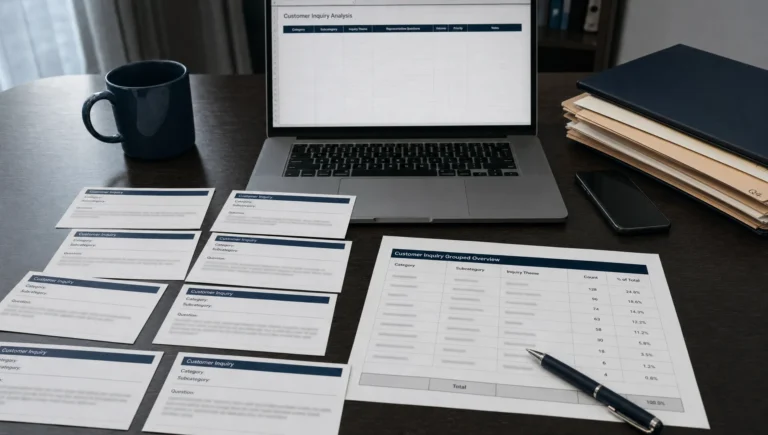
Practical uses include reviewing anonymized form submissions to find common questions, comparing Google Search Console queries with your page copy, turning long explanations into clearer FAQs and suggesting tests for button labels or form fields.
For example, if many visitors ask whether pickup is available in a specific neighborhood, that should probably be answered on the page. If people keep calling about road test car availability, the booking page should clarify the process.
AI is useful for spotting patterns faster. A business owner or marketing partner still needs to decide what is accurate, what matches operations and what will help the visitor make a decision.
What to measure after the page goes live
The goal is not more traffic in isolation. The goal is more qualified lesson requests, more calls and more booked students.
Track the numbers that connect directly to business outcomes:
| Metric |
What it tells you |
| Booking page visits |
Whether local SEO and ads are sending people to the page |
| Mobile conversion rate |
Whether phone users can complete the next step |
| Form completion rate |
Whether the form is too long or confusing |
| Call taps |
Whether visitors prefer calling before booking |
| Response time |
Whether leads are going cold before your team replies |
| Booked lessons |
Whether inquiries are turning into revenue |
| Source or neighborhood |
Which areas produce the strongest leads |
Do not guess based on feelings. Review the numbers monthly and look for obvious leaks. If visits are up but bookings are flat, the page may not be convincing enough. If forms are coming in but students are not booking, the follow-up process may be the issue.
That second problem is common across service businesses. If you are getting inquiries but they are not becoming customers, this breakdown of why quote requests are not turning into customers covers the same kind of follow-up and conversion issues that can hurt driving schools.
When a small fix is enough, and when you need a website redesign
You do not always need a full website redesign. Sometimes the fastest win is changing the headline, simplifying the form, adding service area details and making the phone number easier to tap.
A larger redesign makes sense when the current site is slow, hard to update, poorly structured or confusing across multiple pages. It may also make sense if your booking page looks disconnected from the rest of your site or if your local SEO foundation is weak.
A custom website should be built around leads, not just visuals. For a driving school, that means clear lesson paths, fast mobile performance, strong local signals and simple booking steps.
If your current website is on WordPress, do not rebuild just because someone says you should. WordPress websites can work well when the structure is clean and the page is designed around conversions. Start by fixing what is blocking bookings. Then decide whether a redesign is actually needed.
Frequently Asked Questions
How long should a driving school booking page be? It should be long enough to answer the main booking questions, but not so long that visitors get lost. Most pages need a clear top section, lesson options, trust signals, a short form, service area details and FAQs.
Should a driving school show prices on the booking page? If your pricing is straightforward, showing it can reduce hesitation. If pricing changes by package, location or road test needs, explain what affects the price and what happens after a visitor requests a booking.
Is a calendar better than a booking form? A calendar is useful if your schedule is accurate and easy to manage. If availability changes often, a short request form may work better because your team can confirm the best time before promising a slot.
How can driving schools get more bookings from Google Maps? Keep your Google Business Profile accurate, earn legitimate reviews, use consistent directory listings and link visitors to a page that makes booking easy. Visibility and conversion have to work together.
Can AI improve a driving school website? Yes, if it is used practically. AI can help identify repeated questions, simplify page copy and suggest conversion tests. It should not replace accurate business details or create claims your school cannot support.
Do I need a full website redesign to improve bookings? Not always. If the site is fast and easy to update, focused booking page improvements may be enough. If the site is slow, confusing or weak on mobile, a redesign may be the cleaner path.
Want more lesson bookings from your website?
If your driving school website is getting visitors but not enough calls or booking requests, fix the conversion path first. A better booking page, stronger local SEO and faster follow-up can make a real difference without overcomplicating your marketing.
Sleek Web Designs helps service-based businesses turn their websites into lead-generating systems with conversion-focused web design, website optimization, local SEO and practical AI-assisted analysis. No long-term contracts. No vanity metrics. Just a clear focus on visibility, calls and customer growth.
If you want a Brooklyn web design and local SEO team that keeps the work simple and business-focused, start with Sleek Web Designs.