Service FAQs are one of the simplest ways to bring in search traffic from people who are already close to taking action. A good FAQ section answers the questions your customers type into Google before they call, book or request a quote. For local service businesses, that means your website can show up for more specific searches without turning every page into a wall of sales copy.
The goal is not to add random questions at the bottom of a page. The goal is to use FAQs to remove doubt, support local SEO and help visitors make a decision faster. If your website looks decent but is not generating leads, your FAQ content may be one of the easiest places to improve.
Why service FAQs help search traffic
Most service pages focus on broad terms like “plumber in Brooklyn,” “HVAC repair” or “driving school near me.” Those terms matter, but they are competitive. FAQs let you target the more specific questions people ask before they hire someone.
A homeowner might search “how fast can a plumber fix a leaking pipe” or “do I need a permit for electrical work in Brooklyn.” A student might search “how many driving lessons do I need before a road test.” These are not random informational searches. They often come from people comparing providers or trying to decide what to do next.
FAQs also help visitors who are already on your site. If they cannot find answers about pricing, scheduling, service areas, response time or what happens after they submit a form, they may leave and call someone else.
Start with real customer questions, not guesses
The best FAQ topics usually come from your business, not a keyword tool. Search data is useful, but your customers already tell you what they need to know.
Look at questions from phone calls, quote request forms, emails, Google Business Profile messages and sales conversations. If the same question keeps coming up, it belongs somewhere on your website.
You can also check Google’s “People also ask” results, competitor pages and your own Google Search Console data. The point is to find questions that match how customers actually talk. A question like “How much does duct cleaning cost in Brooklyn?” is more useful than a vague question like “Why choose our services?”
AI can help here, but it should not replace judgment. A practical use of AI is to paste anonymized customer questions into a tool and ask it to group them by theme, such as price, timing, trust, process and service area. Then you choose the questions that matter most for leads.
Choose FAQ questions with buying intent
Not every question deserves space on your service page. Some questions bring traffic but do not bring customers. For example, a general question like “What is plumbing?” may attract searchers, but it probably will not help a local plumber get more calls.
Focus on questions that connect to a real service decision. These usually involve cost, timing, location, qualifications, process or urgency.
| FAQ question type | Example | Why it works |
|---|---|---|
| Cost | “How much does furnace repair usually cost?” | Helps visitors decide if they are ready to call |
| Timing | “Can you provide same-day service?” | Matches urgent local searches |
| Location | “Do you serve homes in Bay Ridge?” | Supports local visibility |
| Process | “What happens after I request a quote?” | Reduces hesitation |
| Trust | “Are your technicians licensed and insured?” | Answers a major hiring concern |
| Fit | “Do you work with small commercial properties?” | Filters better leads |
If you already have a service page for urgent jobs, pair your FAQs with clear calls to action. For example, an emergency plumbing page should answer response-time questions, then make it easy to call from a phone. That same principle is covered in more detail in this guide on creating an emergency service page that gets calls.
How to write service FAQs that rank and convert
Strong FAQ writing is simple. Ask the question the way your customer would ask it, then answer it directly before adding detail.
A weak answer starts with fluff: “At our company, we pride ourselves on excellent customer service.” A stronger answer says: “Most appointments take 60 to 90 minutes, depending on the issue. We will confirm the time window before your visit.”
That second answer is better for the reader and better for search because it gives a clear response. Google’s own guidance on helpful content focuses on creating pages for people first, not content written mainly to attract search engines. FAQs fit that approach when they solve real questions.
Use natural wording in the question
Your FAQ question should sound like something a customer would type or say. Avoid internal industry phrasing if customers do not use it.
For example, “Do you provide drain cleaning for recurring clogs?” is clearer than “Do you offer hydro-mechanical obstruction remediation?” If your customers are homeowners, parents, drivers, property managers or nonprofit directors, write for them.
This matters for web design too. A clean design cannot save copy that customers do not understand. If your custom website has service FAQs, those answers should sound like your business, not like a legal document or a generic SEO template.
Answer fast, then expand only if needed
The first sentence should answer the question. After that, add one or two sentences that explain the next step, key condition or reason.
For example:
Do you offer same-day HVAC repair? Yes, same-day HVAC repair may be available depending on your location and schedule. Call early in the day so we can confirm availability and dispatch time.
That answer works because it is honest, useful and action-oriented. It does not overpromise. It tells the customer what to do next.
Add local context without forcing keywords
Local SEO does not mean stuffing city names into every sentence. It means giving search engines and visitors clear context about where you work and what you do.
A useful FAQ answer might mention neighborhoods, service areas or local conditions when it makes sense. A driving school could answer, “Do you offer lessons near the Brooklyn road test sites?” A contractor could answer, “Do you handle permits for renovation projects in Brooklyn?”
If you need a deeper process for adding terms naturally, this guide explains how to add keywords to your copy for users and search engines without making the page awkward.
Where to place FAQs on your website
FAQs can work in more than one place. The right placement depends on the type of question.
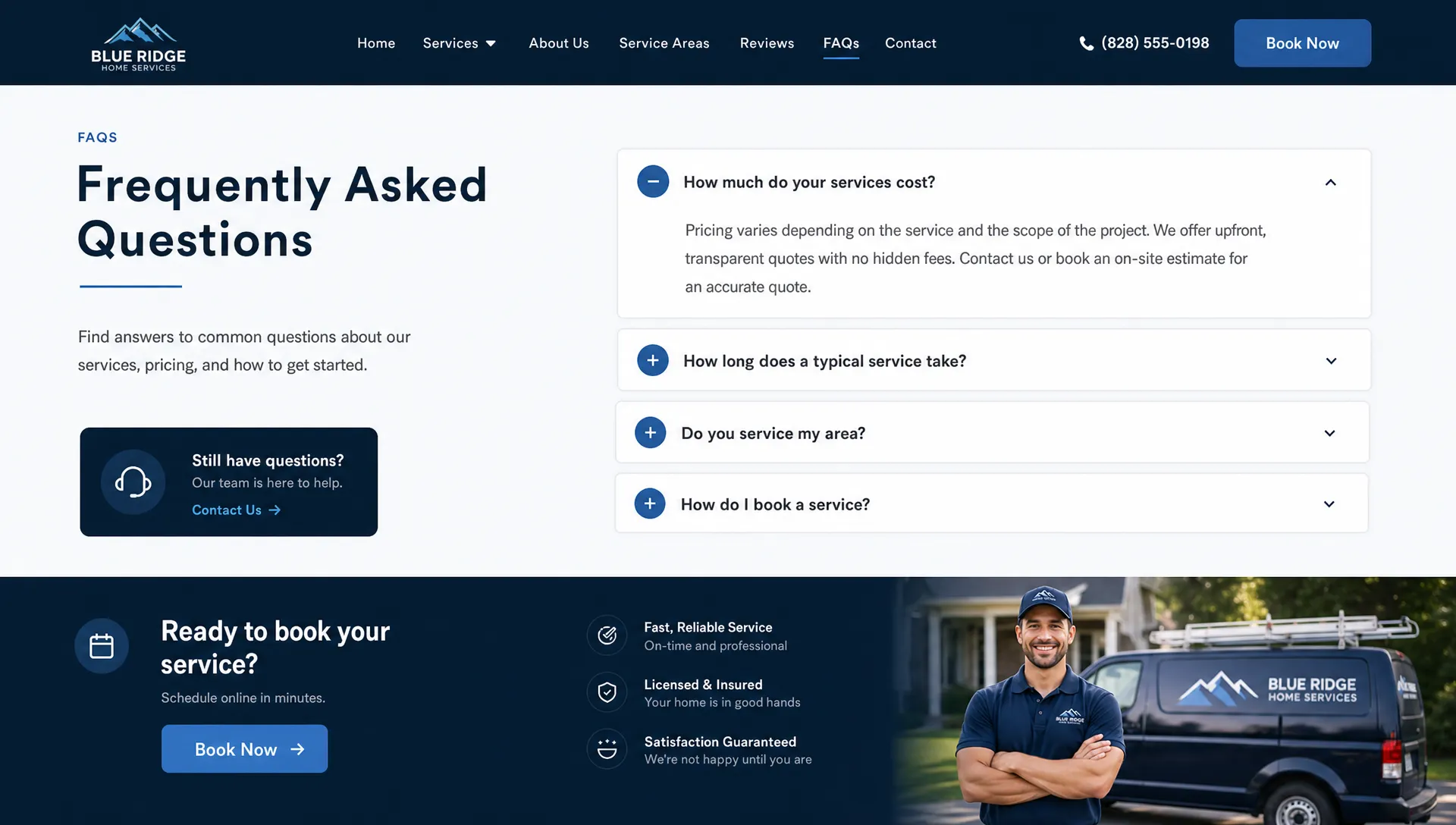
Service-specific questions belong on the matching service page. A page about AC repair should answer AC repair questions. A page about driving lessons should answer driving lesson questions. This helps search engines understand the page and helps visitors find answers without hunting around.
General company questions can go on a main FAQ page. These include payment methods, scheduling, service areas, warranties, insurance and what happens after someone contacts you.
For high-intent questions, do not hide the answer at the very bottom if it affects conversions. If customers always ask about availability, put that information near the call-to-action area too. This is especially true on mobile responsive pages where visitors may be ready to tap and call.
Keep each answer tied to a next step
A service FAQ should not only answer a question. It should help the reader move forward.
That does not mean every answer needs a hard sell. It means the answer should make the next step obvious. Depending on the question, that next step could be calling, requesting a quote, checking availability, reading a related service page or preparing information before an appointment.
Here is the difference:
| Weak FAQ answer | Better FAQ answer |
|---|---|
| “Yes, we offer free estimates.” | “Yes, we offer estimates for most projects. Send a few details about the issue and we will let you know the next step.” |
| “We serve Brooklyn.” | “Yes, we serve Brooklyn and nearby areas. If you are unsure whether your address is covered, call and we will confirm before scheduling.” |
| “Prices vary.” | “Pricing depends on the size and condition of the job. We can usually give a clearer range after a few basic questions.” |
This kind of copy is direct without being pushy. It also reduces poor-fit quote requests because visitors understand what to expect before they contact you. If your website gets inquiries but they do not turn into jobs, this related article explains why quote requests may not be turning into customers.
Use FAQ schema carefully
FAQ schema is structured data that helps search engines understand question-and-answer content. It can still be useful for clarity, but business owners should not treat it as a magic traffic button.
Google has changed how often FAQ rich results appear in search, especially for general business websites. That means the content itself matters more than the markup. Write the FAQ because it helps customers and supports the page topic. Add schema only when the visible content on the page truly matches the question-and-answer format.
If your website is built on WordPress, many SEO plugins can add FAQ schema. Just make sure the answers are visible to users and not generated only for search engines. Hidden or misleading markup can create problems instead of results.
Service FAQ examples by business type
The best questions depend on your service, but the pattern is usually the same. Customers want to know if you solve their exact problem, how fast you can help, what it might cost and why they should trust you.
For a plumbing company, good FAQs might cover emergency availability, common leak causes, service areas and whether the company handles clogged drains or water heater issues.
For a driving school, strong FAQs might answer how many lessons a beginner needs, whether road test packages are available, what documents students need and whether instructors serve specific neighborhoods.
For a cleaning company, FAQs can explain what is included in a standard cleaning, whether supplies are provided, how recurring appointments work and how estimates are calculated.
For a contractor, useful FAQs often cover licensing, insurance, permits, timelines, deposits, site preparation and how changes are handled after work begins.
A web design or website redesign service can use FAQs to explain timelines, what business owners need to provide, how mobile responsive layouts work and how a new website will support calls, forms and local visibility.
Common FAQ mistakes that hurt results
The most common mistake is writing FAQs as filler. If the question does not help a customer or support a page topic, cut it.
Another mistake is answering too broadly. “How much does it cost?” should not be answered with “Contact us for pricing” unless there is truly no better answer. Even a range, a list of pricing factors or an explanation of what affects cost is more helpful.
Many businesses also forget to update FAQs. If your hours, service areas, booking process or offers change, old answers can create confusion and lost leads. Review your FAQs at least a few times per year, especially if you depend on local search traffic.
The last big mistake is separating FAQs from conversion paths. If someone reads an answer about same-day appointments, the call button should be close by. If someone reads about estimates, the quote form should be easy to find.
A simple workflow for writing better service FAQs
You do not need a complicated content plan to get started. Use a practical workflow you can repeat across your main service pages.
- Collect the 20 most common questions from calls, emails, forms and Google Business Profile messages.
- Remove questions that do not connect to a real service decision.
- Group the remaining questions by service, location, price, timing, trust and process.
- Write short answers that start with a direct response.
- Add local context only where it helps the reader.
- Place the best FAQs on the matching service pages and review performance in Google Search Console.
After publishing, watch which pages gain impressions and which questions lead to calls or form submissions. If a question brings traffic but no action, improve the answer or add a clearer next step. If a question comes up often on sales calls, add it to the page before more prospects ask it again.
Frequently Asked Questions
How many FAQs should a service page have? Most service pages only need 4 to 8 strong FAQs. If you have more, split them by topic or create a dedicated FAQ page so the service page stays focused.
Should every FAQ answer include a keyword? No. Keywords should appear naturally when they help explain the answer. Forcing the same phrase into every FAQ makes the page harder to read and can hurt trust.
Can AI write FAQs for my business? AI can help organize questions, draft first versions and spot gaps. A business owner or marketer should still edit the answers for accuracy, local details and the right next step.
Do FAQs help with Google Maps rankings? FAQs alone will not improve Maps rankings. They can support local relevance on your website, but Google Business Profile optimization, reviews, location signals and overall prominence also matter.
Should FAQs go above or below the main service content? Usually below the main service content, but important buying questions can appear earlier if they affect calls or quote requests. Mobile users should not have to scroll too far to find key information.
Turn your FAQs into lead-generating content
Service FAQs are not just extra copy. They help your website answer real customer questions, show up for more specific searches and turn uncertain visitors into better leads.
If your site is not bringing in enough calls, Sleek Web Designs can help review your pages, improve the structure and build clearer content around how customers actually search. We focus on website optimization, local SEO and practical AI-assisted analysis, without long-term contracts or bloated marketing plans.
For help turning your website into a better lead source, visit Sleek Web Designs and start with a straightforward review of what is working, what is not and what needs to be fixed first.