
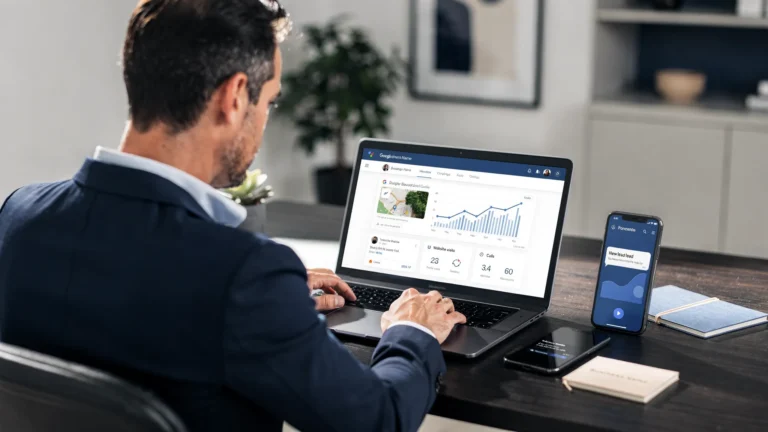
Most local businesses don’t have a traffic problem. They have a visibility problem.
When someone searches “plumber near me” or “driving school Brooklyn,” Google often shows the Map Pack (the 3 map listings) before regular website results. If your Google Business Profile (formerly Google My Business) is incomplete, inaccurate, or ignored, you can have a great website and still miss calls.
This guide covers the search engine optimization for Google Business Profile basics that actually move the needle: showing up more often, looking more trustworthy, and getting more calls.
What Google Business Profile SEO really means
Google Business Profile (GBP) SEO is the process of optimizing your listing so Google can confidently match your business to local searches.
Google itself explains that local results are mainly based on relevance, distance, and prominence (how well known and trusted you appear online). You can’t control distance, but you can improve relevance and prominence. Source: Google’s local ranking factors documentation.
If you’re a service business, your GBP often becomes your “real” homepage in local search. People can call you, request directions, message you, read reviews, and check your hours without ever visiting your website.
The non-negotiables: set up your profile the right way
If you only do a few things, do these first. This is the foundation that prevents ranking issues and lost leads.
Claim, verify, and protect access
- Claim and verify your profile in Google Business Profile.
- Make sure the business owner controls the primary login.
- Add your marketing partner as a manager (not the only owner).
This matters because ownership problems are one of the most common reasons profiles get stuck, edited by someone else, or delayed when you need support.
Lock in your NAP (Name, Address, Phone) consistency
Your business details should match everywhere: your website, your GBP, and major directories.
- Use the real world business name (no extra keywords).
- Use a local phone number when possible.
- Keep your address formatting consistent (Suite vs Ste, street abbreviations, etc.).
Google can ignore or downrank listings that look messy or inconsistent, especially in competitive areas.
Choose the right primary category (this is a ranking lever)
Your primary category is one of the strongest “relevance” signals you control.
Pick the category that best matches what you want to be found for. Then add a few secondary categories that also fit.
Don’t choose categories just because they have more searches. Choose what describes your service.
Add services (and make them specific)
Your services section helps Google match you to searches and helps customers quickly decide.
Good examples:
- “Water heater installation” (not just “Plumbing”)
- “Furnace repair” (not just “HVAC”)
- “Road test preparation” (for driving schools)
If you offer multiple services, list them clearly. If you only do one core service, make that obvious.
Optimize the parts customers actually read
People don’t “browse” your listing. They scan it and make a decision fast. These sections influence conversions (calls, form fills, direction requests).
Business description: write for humans, not Google
You get limited space. Keep it simple:
- Who you help
- What you do
- Where you serve
- What makes you trustworthy (licensed, insured, years in business, fast response, etc.)
- A clear next step (call, request a quote)
Avoid stuffing city names or repeating services like a robot. Google doesn’t reward that, and customers won’t trust it.
Hours and “special hours” prevent lost leads
If your hours are wrong, you’ll lose calls. It’s that simple.
- Set your regular hours accurately
- Add holiday hours ahead of time
- If you’re appointment-only, set that correctly
Photos: the fastest trust builder
Photos impact clicks and calls because they answer the customer’s unspoken question: “Are you real and professional?”
Upload:
- Logo + cover photo
- Exterior (if you have a storefront)
- Interior (if customers come in)
- Team photos (real, not stock)
- Before/after work photos (great for contractors)
- Vehicles and equipment (shows legitimacy)
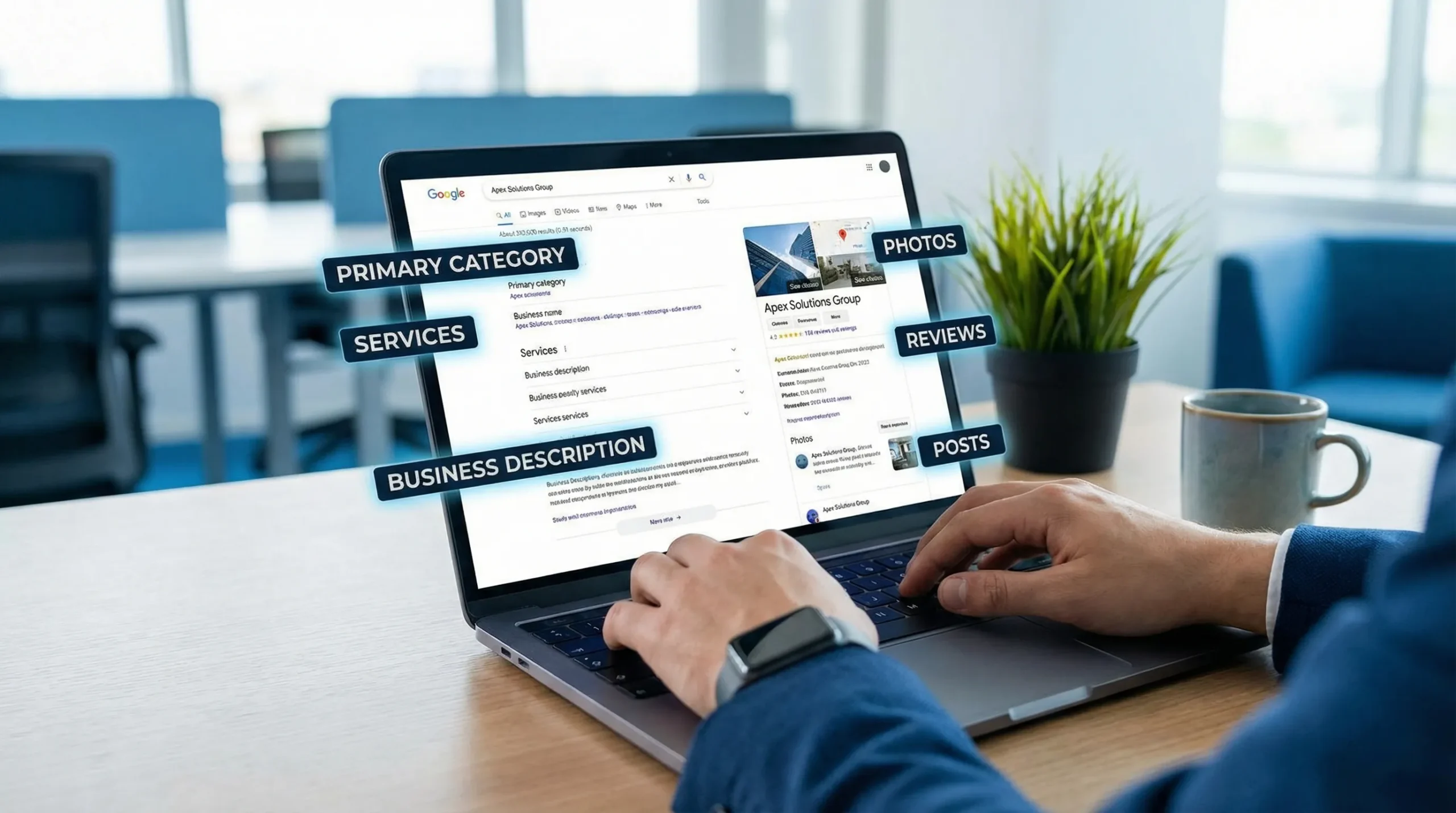
Reviews: the most practical “prominence” strategy
Reviews don’t just help your rating. They help conversion and they send trust signals.
The basics that work
- Ask every happy customer (make it part of your process)
- Send a simple link right after the job is done
- Respond to every review, good and bad
Use review responses to support your services (naturally)
When you reply, mention what was done and where (without sounding spammy). Example:
“Thanks for trusting us for your water heater replacement in Brooklyn. Glad we could get hot water back same day.”
That reinforces relevance for the services you want to rank for and helps future customers feel confident.
Google’s review policy matters too. Don’t offer gifts or discounts in exchange for reviews. Source: Google review policies.
Posts, Q&A, and messaging: small effort, real payoff
Many competitors ignore these. That’s your opportunity.
Google Posts (quick updates that can drive actions)
Use posts for:
- Seasonal offers (not gimmicky, just clear)
- Service reminders (“AC tune-ups now scheduling”)
- FAQs (“Do you offer same-day appointments?”)
- Proof (“New 5-star review:…”)
A good post is short, specific, and includes a clear action like “Call now” or “Book.”
Q&A: seed it before someone else does
Anyone can ask and answer questions on your listing.
Add a few common questions yourself and answer them clearly:
- Pricing basics (not exact quotes, but what affects price)
- Service area
- Availability
- Licensing/insurance
- Parking or visit instructions (if applicable)
Messaging: only turn it on if you’ll respond fast
If you enable messaging and reply slowly, you can hurt trust. If your team can answer quickly during business hours, it can become an extra lead channel.
Your website still matters (GBP doesn’t replace it)
Google Business Profile gets you discovered. Your website helps you win the job.
If your website is slow, unclear, or doesn’t match your GBP info, you lose conversions and make Google less confident.
At minimum, make sure your website has:
- A clear service page for each core service
- City or service area coverage that matches your GBP
- Fast load speed on mobile
- Click-to-call buttons
- Trust signals (licenses, insurance, reviews, real photos)
If you want a deeper checklist on the website side, this ties closely into technical and on-page improvements (speed, structure, clarity). You can also reference a full local process like a local SEO audit guide.
Track what matters: calls, direction requests, and booked jobs
Visibility is nice, but you’re doing this for leads.
In your GBP dashboard, pay attention to:
| Metric | What it tells you | Why it matters |
|---|---|---|
| Calls | How many people called from your listing | Direct lead volume |
| Direction requests | Local intent and proximity demand | Great for local service footprint |
| Website clicks | Interest in learning more or booking | Can indicate quality of traffic |
| Messages | Lead volume from chat | Requires fast follow-up |
| Search terms | Queries people used to find you | Helps refine services and content |
If you run ads, social, or email campaigns, consider adding UTM tracking to your website link so you can separate GBP traffic inside analytics. (This is a simple setup, but it prevents a lot of guessing later.)
A simple monthly routine that keeps your profile competitive
You don’t need to “do SEO every day.” You need consistency.
Here’s a practical routine most service businesses can maintain:
- Add 3 to 10 new photos
- Publish 2 to 4 posts
- Request reviews from recent customers
- Respond to all new reviews
- Check hours, services, and contact info
If you do only one thing monthly, make it reviews. If you do two things, add photos.
How to use AI without turning your marketing into noise
AI is useful when it saves time and improves clarity. It’s not useful when it produces generic fluff.
Smart ways to use AI for GBP SEO:
- Turn real customer questions into Q&A drafts (then edit to match how you actually speak)
- Analyze review themes (what customers praise or complain about) to decide what to highlight
- Generate post ideas based on seasonality and your actual services
- Spot inconsistencies (hours, services, categories) across listings and your website
The rule: AI can help you move faster, but the content still needs to sound like your business and match what you really do.
Common Google Business Profile mistakes that cost calls
These are the issues we see most often when a business “has a profile” but isn’t getting leads:
- Wrong primary category
- Services not filled out (or too vague)
- No new photos for months
- Reviews are outdated, or no one responds to them
- Business name stuffed with keywords (can lead to edits or suspension risk)
- Website link goes to a generic homepage with no clear next step
- NAP doesn’t match the website or directories
Fixing these usually creates quick momentum because you’re removing friction for both Google and customers.
Frequently Asked Questions
Is Google My Business the same as Google Business Profile? Yes. Google renamed Google My Business to Google Business Profile. Many people still search for “Google My Business,” but it’s the same product.
How long does Google Business Profile SEO take to work? Some improvements (categories, services, missing info) can impact visibility quickly. Reviews, content, and overall prominence usually build over weeks to months.
Do I need a website if I have a Google Business Profile? If you want consistent leads, yes. GBP helps you get discovered, but your website helps convert and supports stronger local relevance.
What is the most important part of a Google Business Profile for ranking? Your primary category, service relevance, and overall prominence (especially reviews and consistent business information) are big drivers.
Can I rank in the map results without an office address? Many service-area businesses can rank by setting a service area and hiding the physical address (if customers do not visit your location). You still need strong relevance, reviews, and a solid website.
Want more calls from Maps without a long-term contract?
If your Google Business Profile exists but isn’t producing consistent calls, we can help you fix what’s holding it back and turn it into a lead channel.
Sleek Web Designs focuses on website optimization, local SEO, and AI-assisted analysis for service businesses. No vanity metrics, no long-term contracts, just practical improvements tied to real outcomes.
If you want help optimizing your listing and your local visibility, start here: Local SEO services or visit Sleek Web Designs.