If your website is slow, you do not just “lose SEO.” You lose calls.
For a local service business, speed is the difference between:
- A visitor tapping “Call now” in 3 seconds
- A visitor backing out and picking the next company in Google Maps
This article is a practical triage guide: what to fix first to turn speed into more leads (not prettier charts).
Speed for lead gen is not the same as “speed for developers”
Most small business sites are not trying to impress other web designers. They are trying to get one of these actions:
- Phone call
- Quote request form
- Booking request
So the speed question is simple:
How fast can a real customer on a phone see your offer, trust you, and contact you?
That is why the fixes below prioritize:
- Fast load of the top of the page (the part with your headline, phone number, and CTA)
- Fast tapping and scrolling (no lag)
- Stable layout (buttons do not jump around)
Google’s Core Web Vitals map pretty well to that real-world experience (especially LCP, INP, and CLS). If you want Google’s definitions, start here: Core Web Vitals.
Step 0 (10 minutes): Measure the pages that actually generate leads
Do not waste time testing a random blog post if your leads come from your homepage and service pages.
Test these first:
- Homepage
- Top 2 to 5 service pages
- Contact page
- A main location page (if you have one)
Use:
Important: Mobile results matter most for local leads.
What to fix first (in order): the lead-gen speed triage
Below is the priority order we use when the goal is more calls and form submissions.
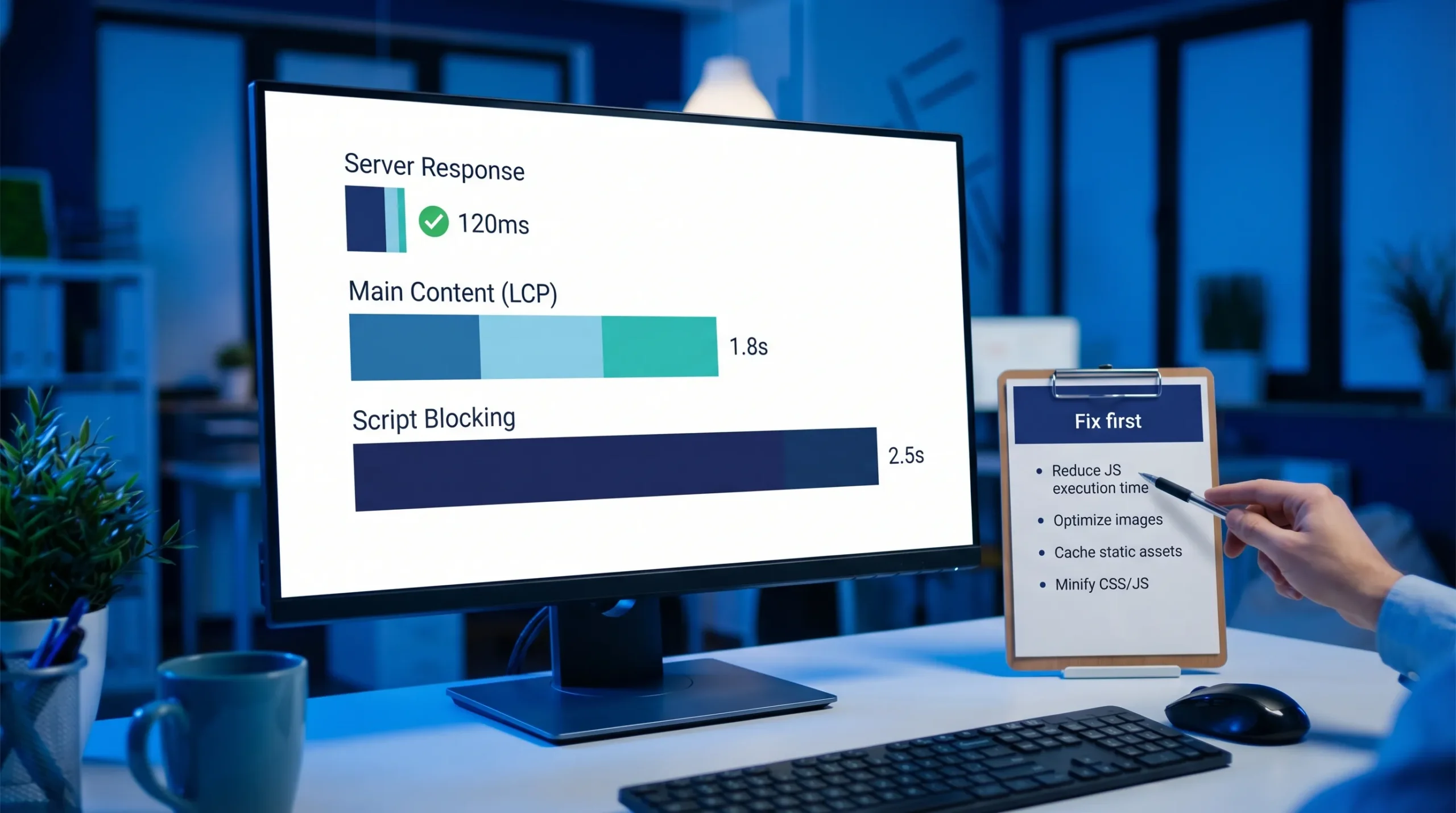
Fix #1: Server response time (TTFB) and caching
If the server is slow, everything else is a band-aid.
Common signs:
- PageSpeed says “Reduce initial server response time”
- You see a long blank screen before anything appears
- Your site feels “randomly slow” depending on the time of day
Fix first actions that usually move the needle fast:
- Enable full-page caching (especially on WordPress)
- Add server-level caching if your host supports it
- Reduce heavy plugins that run on every page
- Upgrade hosting if you are on a crowded, cheap plan
Lead-gen impact: High, because it speeds up every page and every visit.
Fix #2: The biggest above-the-fold element (usually your hero section)
On many small business websites, the hero section is the problem:
- A huge background image
- A slider
- A video header
- A giant “banner” built in a page builder
This directly hurts Largest Contentful Paint (LCP), which is basically “how fast the main content shows up.”
Fix first actions:
- Replace giant background images with a properly sized image file
- Serve modern formats (WebP or AVIF)
- Compress and resize the hero image to the maximum display size
- Avoid sliders (they are almost always heavy and distracting)
- Lazy-load below-the-fold images, not the main hero image
If you have not done image cleanup yet, it is often the quickest win.

Fix #3: Too many scripts (tracking, chat widgets, popups, “all-in-one” marketing tools)
This is the #1 reason “fast hosting” still feels slow.
Every extra script can delay:
- When the page becomes clickable
- When the form works
- When the phone number tap responds
This shows up in Core Web Vitals as Interaction to Next Paint (INP) issues.
Fix first actions:
- Delete tools you do not actively use (not “maybe later” tools)
- Remove duplicate tracking (it happens more than you think)
- Load non-essential scripts after user interaction, or after the main content renders
- Keep one chat tool, not three
If you are running ads and need clean tracking without stacking 12 scripts, it can help to have a pro set up a simple, maintainable system. One example is working with a specialist who builds and manages the full tracking and campaign setup across channels, like this managed marketing system approach.
Fix #4: Layout shift that causes missed clicks (CLS)
If your “Call Now” button moves right as someone tries to tap it, that is not a minor UX issue. That is lost leads.
Common causes:
- Fonts swapping late
- Cookie banners pushing content down
- Images without width/height defined
- Sticky headers that appear after load
Fix first actions:
- Set explicit image dimensions (width/height)
- Preload key fonts, limit font variants
- Reserve space for banners and popups so the layout does not jump
Lead-gen impact: High, because it protects your primary CTA from becoming a moving target.
Fix #5: Mobile usability issues that “feel like slowness”
Some sites technically load, but still lose leads because the mobile experience is friction.
Common issues:
- Tap targets too small
- Sticky elements covering the CTA
- Huge forms with too many fields
- Interstitial popups blocking content
Fix first actions:
- Make the call button obvious and easy to tap
- Keep forms short (name, phone, service needed is often enough to start)
- Remove anything that blocks the screen on first load
If you are a local service business, remember this: many visitors are on a phone, in a rush, trying to solve a problem now.
The “fix first” cheat sheet (most common speed problems)
Use this table to diagnose what is worth fixing first, based on what you see.
| What you notice |
Likely cause |
Fix first |
Why it drives more leads |
| Blank screen for 2 to 5 seconds |
Slow hosting, no caching, heavy backend |
Improve caching, reduce backend bloat, upgrade hosting if needed |
Faster first impression, fewer bounces |
| Top of page loads last |
Oversized hero image, slider, video header |
Resize/compress hero, remove slider/video header |
Visitors see CTA sooner |
| Page loads but taps lag |
Too many scripts, heavy JS |
Remove or delay non-essential scripts |
Forms and buttons respond faster |
| Buttons move while loading |
CLS issues from fonts/banners/images |
Reserve space, fix fonts, set image dimensions |
Fewer missed clicks |
| Mobile feels cluttered |
Popups, sticky bars, oversized sections |
Simplify above the fold, reduce distractions |
More calls and form starts |
A simple 60-minute speed sprint (lead-gen focused)
If you want a realistic “do this today” plan, start here.
1) Replace the hero background with a proper image file
If your homepage hero is a massive background image, you can often cut load time dramatically by:
- Exporting a correctly sized image (not 4000px wide)
- Compressing it
- Using WebP/AVIF
2) Remove one plugin or script you are not using
Most sites have at least one.
Examples:
- Old form plugin you replaced
- Heatmap tool you stopped checking
- A popup tool that runs site-wide
3) Cache the site properly
Caching is not optional for lead gen. If every visitor triggers the server to rebuild the page from scratch, you will feel it.
4) Make the primary CTA load first, not last
Your phone number, “Request a Quote” button, and trust proof should not depend on 15 scripts loading.
5) Test the contact form on a real phone
Speed fixes do not matter if the form is broken, hard to use, or slow to submit.
Where AI helps (without the hype)
AI is useful when it saves time on analysis and prioritization.
Here are practical, non-gimmicky ways we use AI-assisted analysis for speed:
- Summarize PageSpeed and Lighthouse reports into a short action list
- Spot repeated issues across multiple pages (same script, same oversized image pattern)
- Turn a waterfall chart into a plain-English explanation of what is slowing the site down
AI does not replace implementation. It helps you stop guessing and fix the highest-impact items first.
Speed and local SEO are connected (in a practical way)
Speed is not just a “technical SEO box.” It affects local SEO outcomes because:
- Mobile users bounce faster (and pick a competitor)
- Slow service pages convert worse, even when they rank
- A fast, clear site supports your Google Business Profile traffic better
In other words, ranking gets you the click, speed and clarity get you the call.
When to DIY vs when to hire help
DIY makes sense when:
- Your site is small (10 to 30 pages)
- You have one platform (like WordPress) and you can edit it safely
- Your problems are obvious (huge images, too many plugins)
Hiring help makes sense when:
- Speed is hurting revenue (you are getting traffic but not leads)
- You have multiple tools stacked together and you are afraid to break tracking
- Your site has been rebuilt multiple times and nobody knows what is powering what
The fastest path is usually: audit, fix the top 5 issues, retest, then iterate.
Frequently Asked Questions
What is a “good” website speed for lead generation? A good target is a site that loads the main content fast on mobile and feels instantly clickable. In Core Web Vitals terms, aim for “Good” across LCP, INP, and CLS, but prioritize real user experience on your money pages.
Should I fix website speed before SEO? If your site is slow enough that visitors bounce or buttons lag, yes. Speed fixes support SEO and conversions at the same time, so it is one of the best first investments.
Why is my WordPress site slow even with good hosting? Usually because of heavy themes/page builders, oversized images, and too many plugins or scripts (especially marketing and tracking tools). Hosting helps, but it cannot cancel out a bloated frontend.
Will a faster website increase calls and form submissions? Often, yes, especially for mobile traffic from Google Maps and local search. Faster pages reduce drop-offs before visitors reach your CTA, and they make forms and tap-to-call actions smoother.
What should I avoid when trying to speed up my site? Avoid random “speed plugins” stacked together, deleting scripts without tracking what they do, and optimizing only your homepage while your service pages stay slow.
Want a speed plan that is built for leads (not vanity metrics)?
Sleek Web Designs helps service businesses turn slow websites into lead-generating systems by focusing on what actually matters: speed, clarity, local visibility, and conversion paths that make it easy to call or request a quote.
If you want, we can run an AI-assisted speed and lead-gen audit, identify what is slowing down your money pages, and give you a clear fix-first plan. No long-term contracts.
Get started at Sleek Web Designs.